 K4 Remote
K4 Remote
K4 Remote
A fast, cross-platform control panel for the Elecraft K4 transceiver — rig control, spectrum + waterfall with live spot nameplates, full-duplex audio, and transmit — over Ethernet or USB/serial. Written in Rust, requirements-first and test-driven.
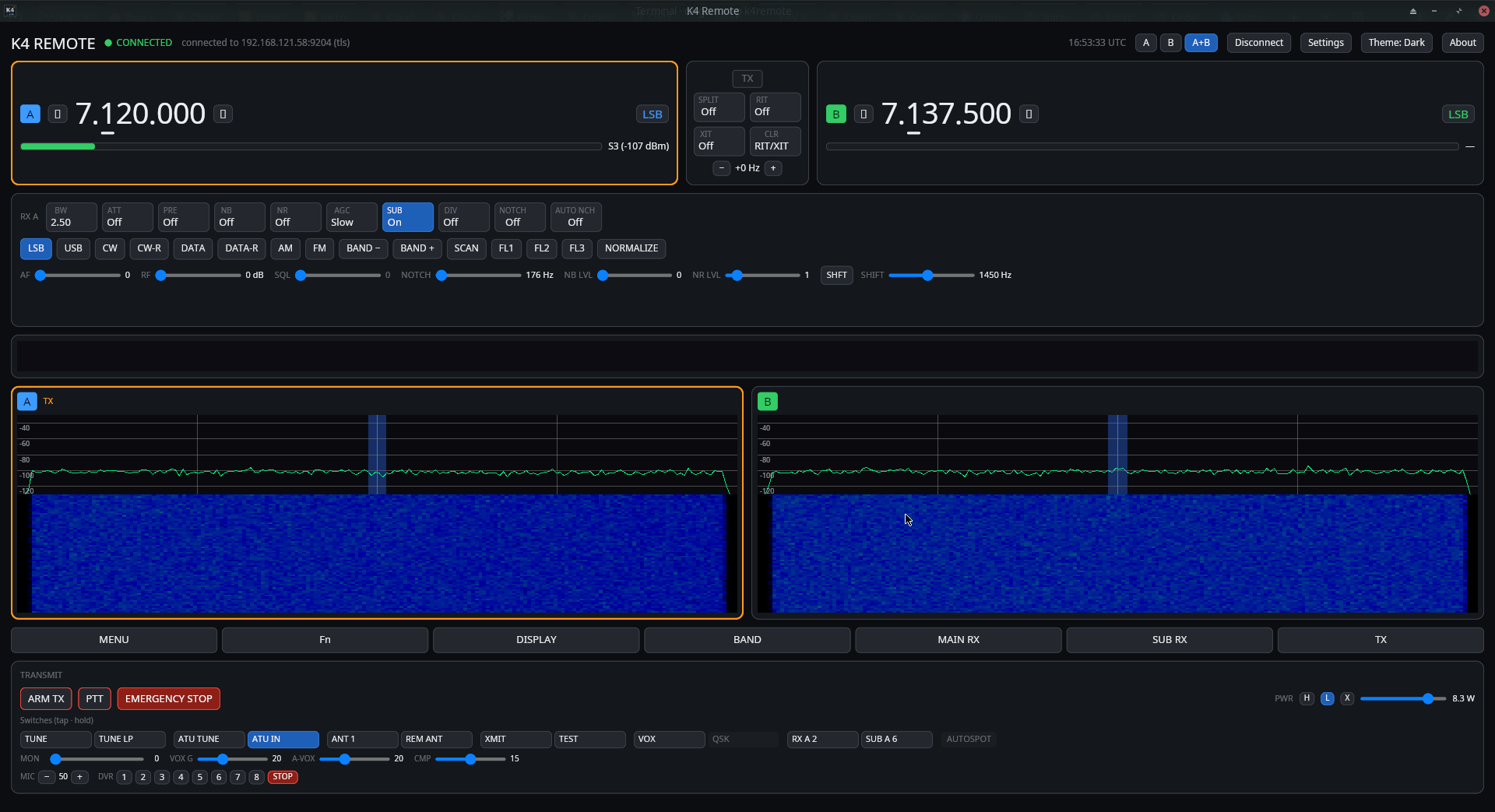
Most panels show every control all the time. K4 Remote is mode-aware: controls the current mode can't use are dimmed or tucked away, and a fixed-height strip surfaces the ones it can — so each mode stays lean and the layout never jumps around.



Plug an Elecraft K-Pod into your computer for a real tuning knob, a rocker that assigns it to VFO A / VFO B / RIT-XIT (with indicator LEDs), and eight function switches. Each of the F1–F8 switches has a tap and a hold action — 16 slots — that run a CAT macro on the radio, chosen from a preset list or typed as a free-form command string.
A complete operating surface, not just a CAT terminal. Metering, panadapter, audio, and transmit, all with a clean, mode-aware UI.
Plaintext Ethernet (SHA-384 auth), TLS-PSK, or USB/serial CAT — selectable in the UI, with auto-reconnect and bounded backoff.
VFO A/B with per-digit click tuning, band, clickable mode cycle, bandwidth, filter edges, AGC, NB/NR, preamp, attenuator, RIT/XIT, and split.
Controls the current mode doesn't use dim away; per-mode strips (CW / voice / DATA / AM / FM) surface the ones it does. Lean, and it never jumps around.
Decodes the K4 dB/bin stream into a live spectrum trace, scrolling waterfall, and mini-pan — GPU-drawn at the radio's own pace for a light GPU load, with click-to-QSY, mouse-wheel tuning, and an afterglow that lets a brief signal linger and fade.
Who's on the band, on the spectrum: callsigns from the Reverse Beacon Network, a DX cluster, PSK Reporter, POTA and FreeDV Reporter at their frequency, coloured by source and fading with age. Click one to tune to it. Each network is opt-in and receive-only, with TLS where the network offers it.
S-meter with S-unit mapping (bars + dBm), and TX RF / ALC / SWR / COMP bars while transmitting.
12 kHz Opus both ways — jitter buffer, resampling, and device selection (left = Main RX, right = Sub RX).
PTT, voice, and CW keying behind an explicit TX arm, with an emergency stop, a link-loss fail-safe, and a configurable PTT keyboard hotkey (toggle or hold).
Optional support for the Elecraft KPA1500 over its own Ethernet control server: a live top-bar indicator, and a window with full telemetry, Operate/Standby, ATU and antenna controls, and a one-touch ATU TUNE behind the TX arm.
Optional USB control surface: the rocker assigns the knob to VFO A / B / RIT-XIT, and the F1–F8 switches (tap + hold) run configurable CAT macros.
Settings in their own tabbed window, saved connection profiles, OS-keychain passwords (never in config), K4 settings export/import, an automatic update check, and a filterable, copyable diagnostics console.
From cold start to on the air in a few minutes.
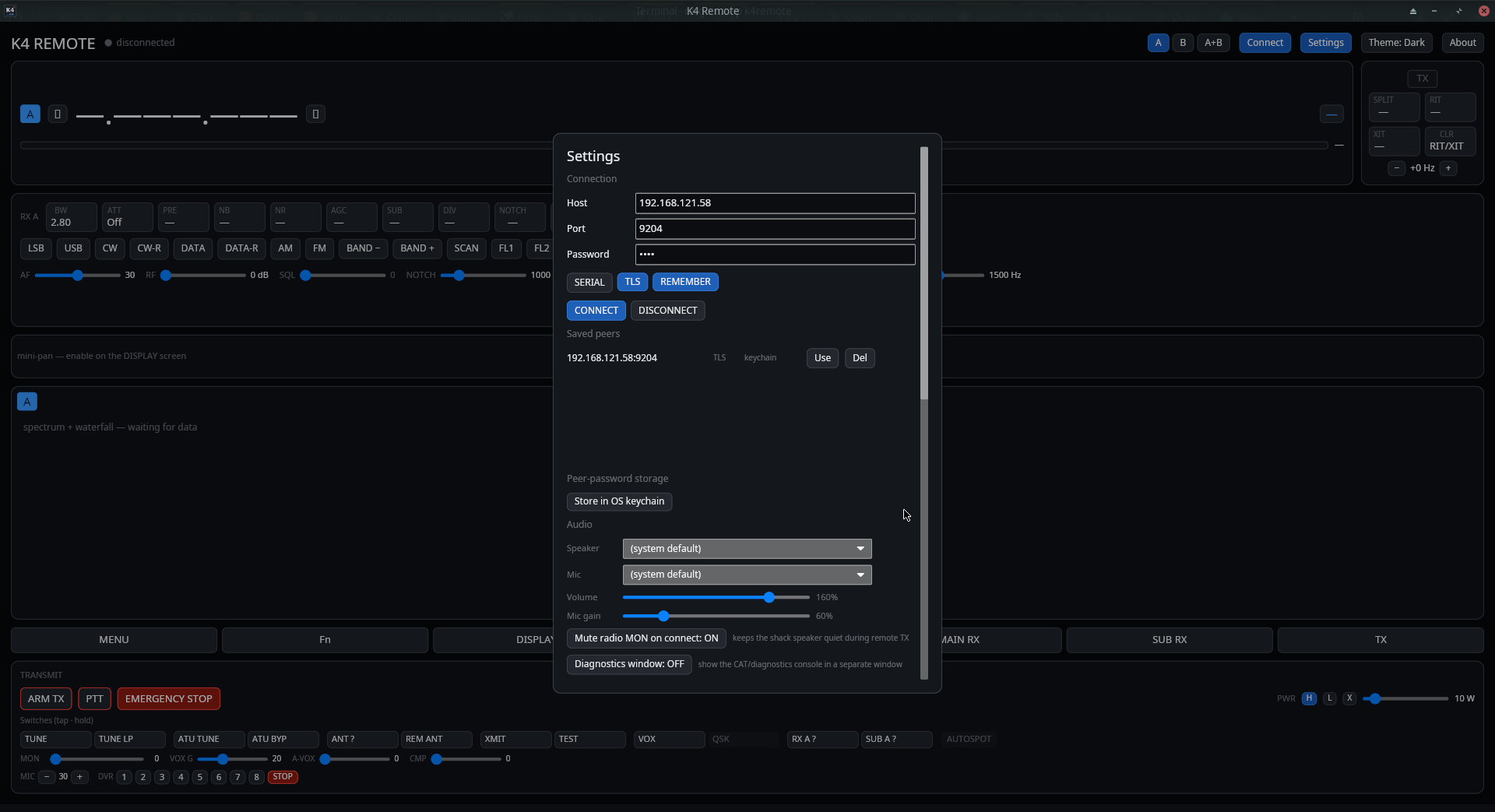
Open Settings and enter your K4's host and port. Pick plaintext, TLS-PSK, or a serial device, tick Remember to stash the password in your OS keychain, and hit Connect. Successful radios are saved for one-click reconnect.
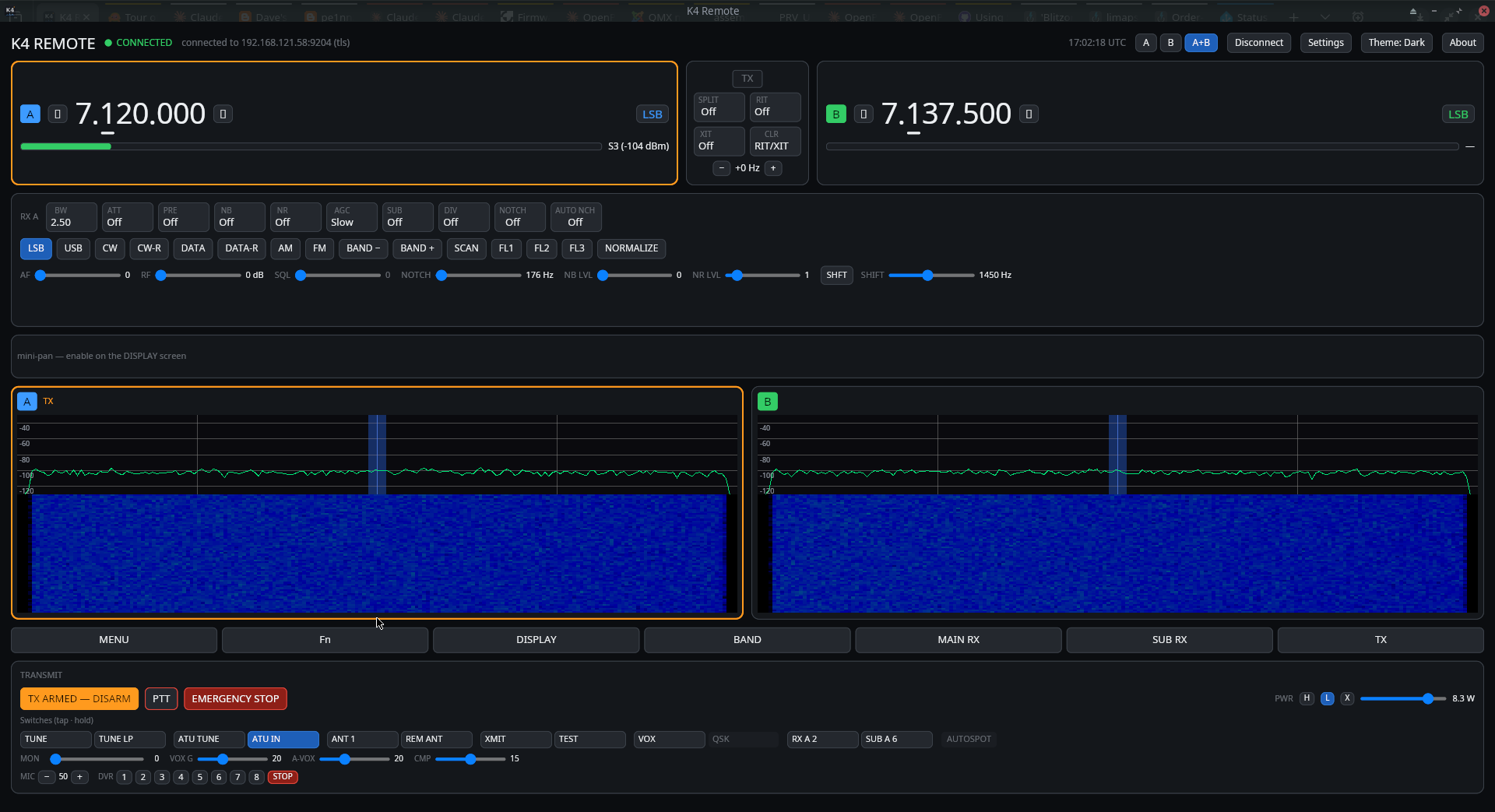
Click any digit of a VFO to set the tuning step — an underline marks it, kept in sync with the radio and the K-Pod. Drag on the spectrum to QSY, wheel-tune, and use RIT/XIT for a fine offset. Split puts TX on VFO B.
Switch to CW, FM, SSB, AM, or DATA and the controls rearrange to match — you only ever see what that mode uses. (See the mode-adaptive UI above.)
Transmit is gated behind an explicit ARM TX; then use the on-screen PTT, a keyboard hotkey (toggle or hold), or CW keying — with an emergency stop and a link-loss fail-safe always on.
Grab a prebuilt release, or build from source with Rust 1.90+.
setup.exe installer (Start-menu shortcut + uninstaller), or the portable .zip.
.deb for Debian / Ubuntu / Raspberry Pi OS (x86_64 + arm64), or a .tar.gz binary.
.tar.gz binary — build with the vendored-TLS feature.
cargo run -p k4remote — one Rust workspace, four platforms.
Requirements-first & test-driven, with strict traceability from stakeholder needs down to individual tests, enforced by a build gate. CI is green across Linux (x86_64 + arm64), macOS, and Windows.