argon-utils
Open, safe control software for Argon40's Raspberry Pi cases, the Argon PWR UPS and the Argon ONE UP laptop — written in Rust, GPL-licensed, and built clean-room from published documentation and measurements of real hardware.
Status: in daily use on a Raspberry Pi 5 in an Argon ONE V5 with the PWR UPS, and on an Argon ONE UP laptop that it has taken over from the vendor's software. Every claim here says how it was verified.
The case display
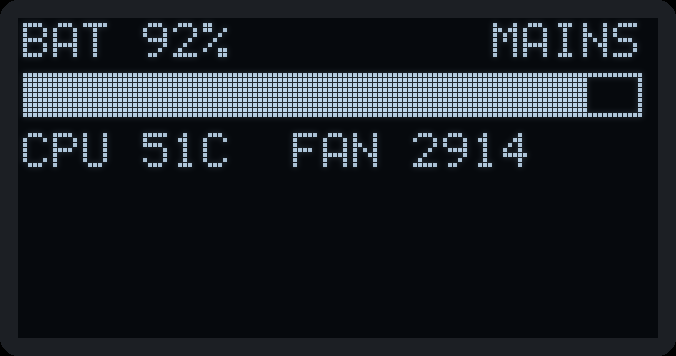
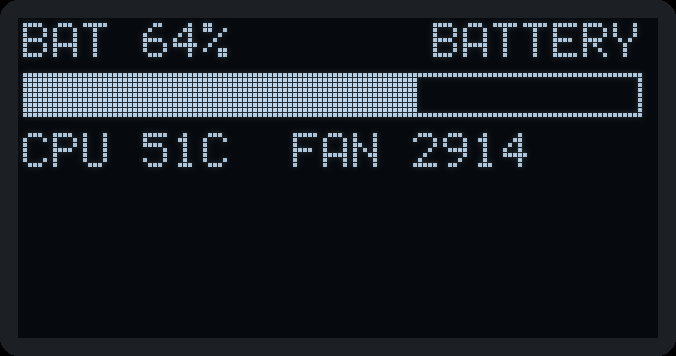
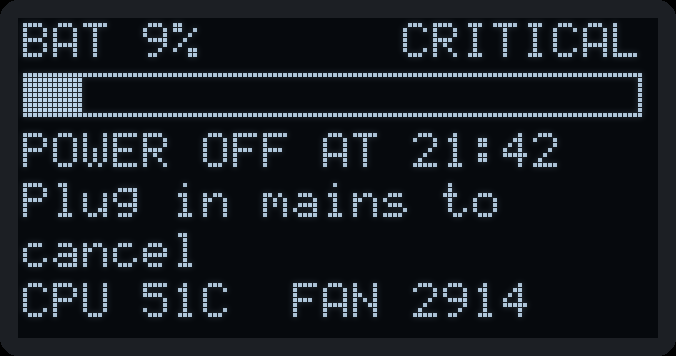
Rendered by the same drawing code argond runs on the ONE V5's OLED, from example readings.
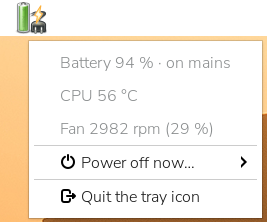
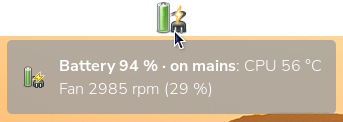
In the panel
At the command line
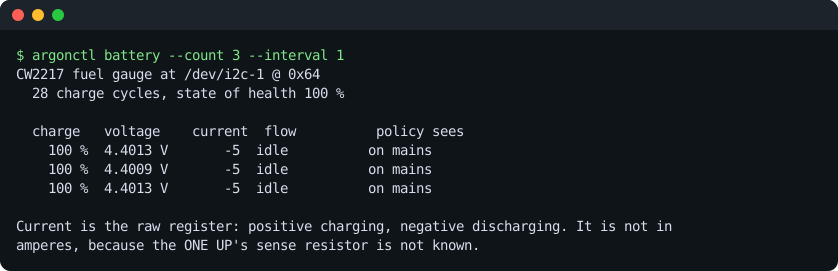
argonctl battery on an Argon ONE UP: its fuel gauge, read-only.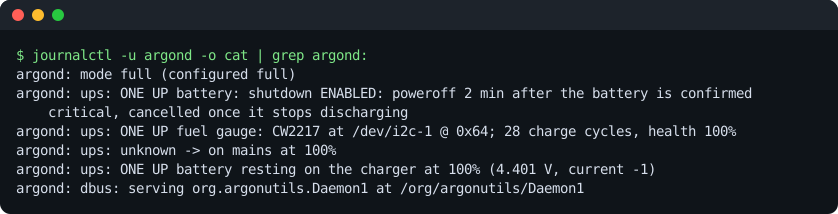
Features
Power
- UPS monitoring over the PWR UPS's serial protocol
- Safe low-battery shutdown: confirmed, delayed, cancelled when mains returns
- Power off and wake at a set time
- UPS clock kept in step, drift recorded
- ONE UP battery from its fuel gauge
Laptop lid (ONE UP)
- A standard Linux lid switch, via a device-tree overlay
- Power-save: screen off; optionally radios off and CPU capped — all undone on opening
- Or: an alert with a sound, then power off
Desktop and tools
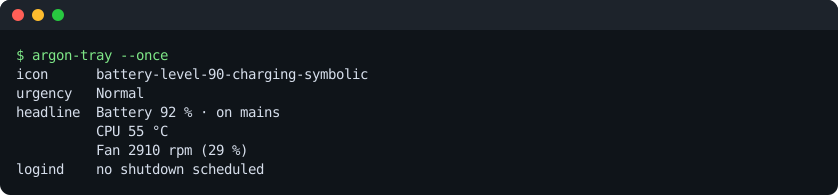
- Panel icon with charge, temperature and fan
- Desktop notifications
- OLED status page, switchable from the panel
argonctlwith manual pages- D-Bus service, guarded by polkit
Built to be trusted
- Read-only until you set
mode = "full" - Writes gated by type, not by
ifs - Unprivileged, sandboxed daemon
- Everything reversible, vendor software restored on removal
Supported Argon products
| Product | What argon-utils does | Status |
|---|---|---|
| Argon PWR UPS (27 W, 5000 / 10000 mAh) | Battery and mains monitoring, low-battery shutdown, UPS clock | tested |
| Power off and wake at a set time | tested | |
| Argon ONE V5 with Raspberry Pi 5 | OLED status page; fan reported (the kernel drives it) | tested |
| IR receive | nono pulse on GPIO23 or any free line; the board looks unpopulated | |
| Argon Industria Zigbee module | Detection and a non-disruptive firmware probe | tested |
| Argon ONE UP (CM5 laptop) | Battery, lid switch, lid actions, hand-over from the vendor daemon | tested |
| Keyboard illumination | nothe key arrives as KEY_F16; the keyboard drives its own light | |
| Argon ONE V1 with Raspberry Pi 4 | Button, IR and remote keymap measured; MCU confirmed legacy-protocol | measuredcontrol not yet built |
| Argon ONE V2 with Raspberry Pi 4 | Fan control and power button through the case's microcontroller | planned |
| Argon ONE V3 with Raspberry Pi 5 | The same, if its microcontroller answers | planneduntested; the V5 beside it has none |
| Argon EON, Fan HAT | Fan, clock, OLED | plannedonly with hardware to test |
| NEO 5, NVMe boards, POLY+, THRML, Mini Fan, HMI displays, BLSTR DAC | Passive, or handled by standard Linux drivers | n/anothing to control |
The project supports hardware it can test, and says so; nothing ships as blind support.
Install
Build the Debian package on the Pi, then install it. It starts read-only; nothing is switched on until you choose.
dpkg-buildpackage -b -us -uc
sudo apt install ../argon-utils_*_arm64.deb
sudoedit /etc/argon-utils/config.toml     # mode, [ups] source, [oled], [lid]
sudo systemctl restart argond
On an Argon ONE UP, /usr/libexec/argon-utils/oneup-takeover --full hands the battery
and lid over from the vendor's daemon; oneup-restore gives them back. Details in the
packaging README.
Clean room
Argon40's own software carries no licence, so this project does not copy or translate it. Everything is written against specifications from published documentation, component datasheets and our own captures — each fact with its provenance — and nothing unverified may drive a write to hardware. See CLEANROOM.md and the protocol facts.